Unable to load the Seasonax Dynamic Stock Group
Hello ,
I just saw the video of Algo cloud usage of Seaonax dynamic screener. I was able to properly create the dynamic screener as a separate group as shown in the YouTube video. However, when I try to access that stock group in the Strategy editor settings, this stock group is not available in the selection.
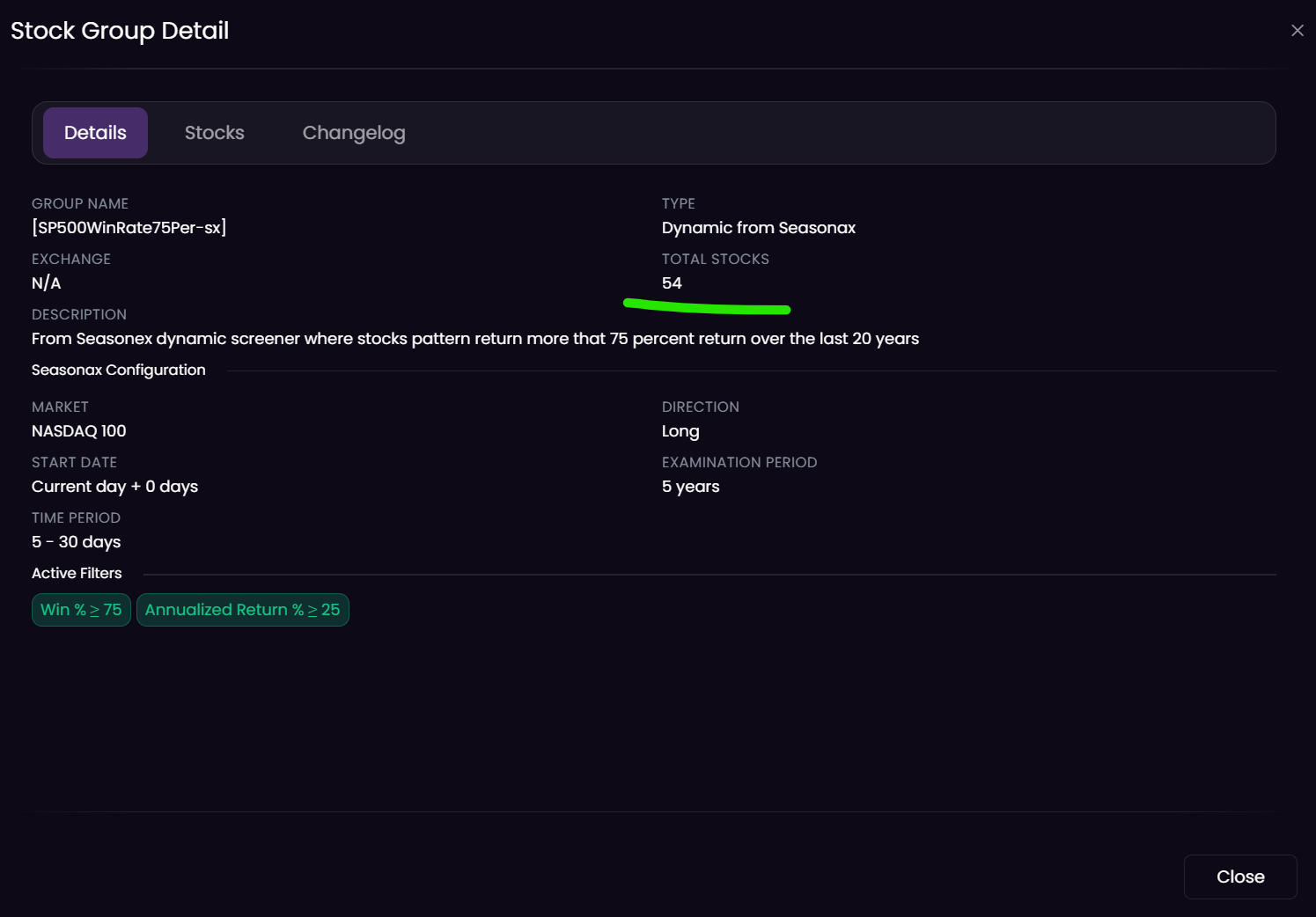
I have even checked and the dynamic group has 129 symbols and all on separate lines, the naming of the stock group has no special characters or spaces. I personally believe that, if the dynamic screener has some delisted stocks form SP500, then it will not show in the option , as there are few example shown at your blog post: https://help.algocloud.com/en/articles/10110224-stock-groups, but here is the issue, the purpose of dynamic screener from Seasonax is to automate it without manually inputting the delisting dates .
Can you please have a look on this matter? Or perhaps maybe I am using a free trial version where dynamic stock groups are not supported? But I just wanted to backtest some strategies as I have premium license for SQX.
I am attaching the screenshot of my stock group. Thanks for the help.
Log in to comment and vote
Comments1
Kornel Mazur
Mar 17
Hello, thank you for your question. The Seasonax stock group is available for live trading of the strategy. Once you click on the "Start trading on the live/demo" button, the group can be found in the appearing popup. Unfortunately, it is currently not possible to backtest using the Seasonax stock group. You can find interesting statistics on how a seasonal filter can influence live trading of the strategy here: https://www.youtube.com/watch?v=WVYS_Of0qSY This functionality is currently available for both demo and live accounts.